Home › How it works
How Ride Kerala works
Two ways to get an auto in Palakkad: call one near you, or book one in the app.
Get a quick auto nearby

Free for riders · No typing · Works on iPhone too
On iPhone? No app needed — tap Get a quick auto nearby.
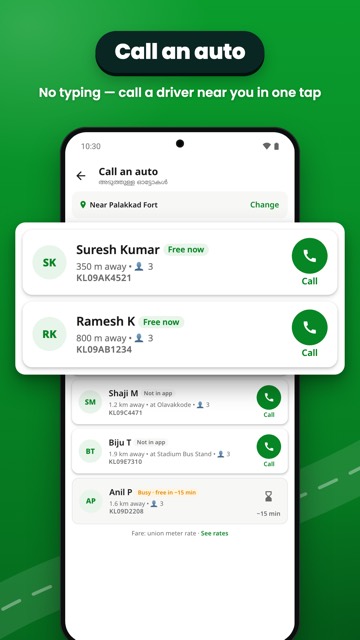
Call an auto
- Tap Get a quick auto nearby — in the app or on ridekerala.in. Sign in with Google the first time.
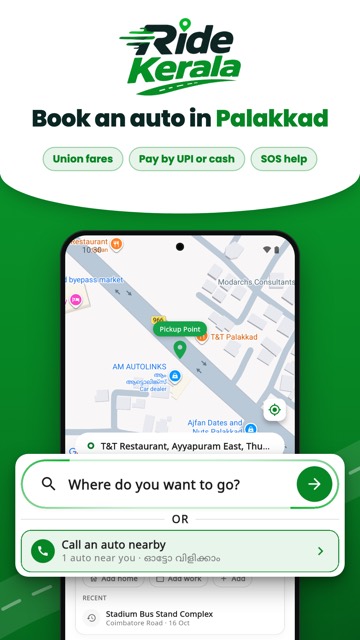
- Allow your location. We show the autos near you: free drivers first, then drivers at their auto stand, busy drivers last.
- Tap Call. Your phone calls the driver directly.
- Back from the call, tell us if you got the auto. If not, we show you the next one.
The fare is the union meter rate, paid to the driver. Check the auto number before you get in.
Book in the app
- Set your pickup. Your location is on the map. Type where you want to go.
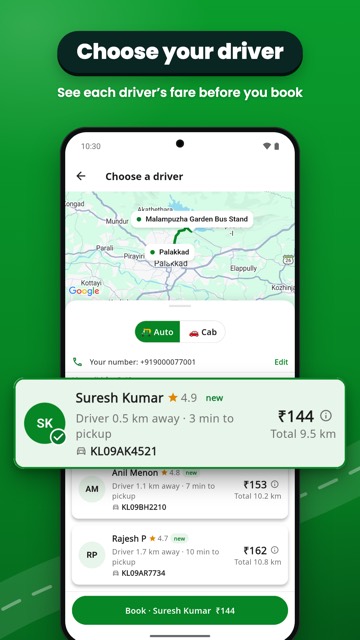
- Choose a driver. See nearby autos with the fare, then book.
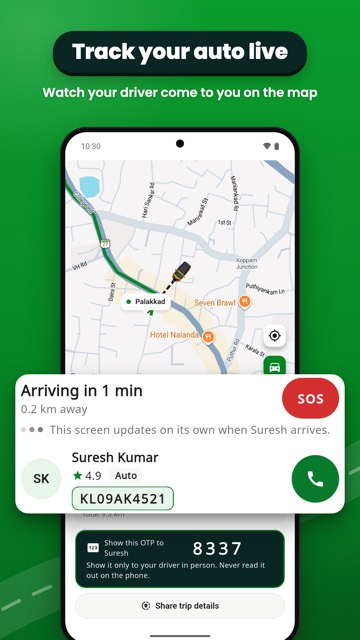
- Meet your driver. Track them live. Show your OTP to start the trip.
- Pay and rate. Pay the driver by UPI or cash, then rate the ride.
See the app